TRIOS 4 vs. TRIOS 3: Key Differences Dentists Must Know Before Upgrading
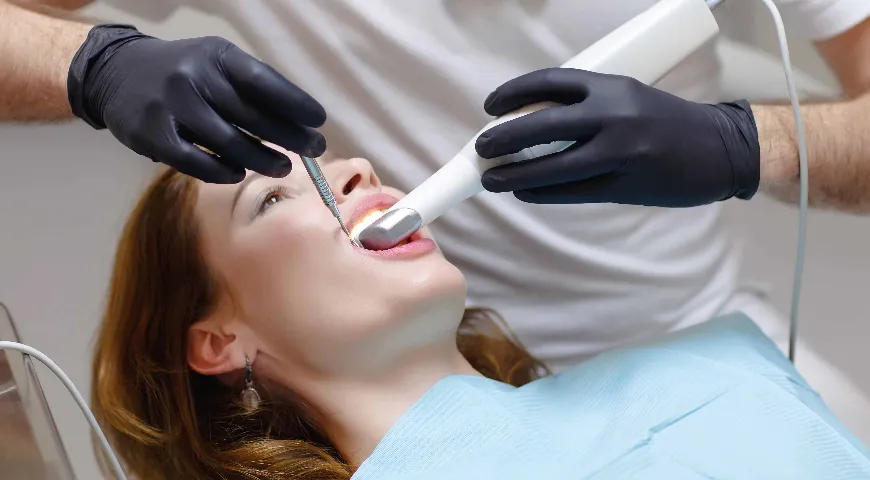
Most dental offices don’t invest in a new intraoral scanner just because they saw it in a glossy brochure. Usually, they upgrade when their current one starts slowing them down or getting in the way of good work.
For plenty of dentists using the TRIOS 3, this moment hasn’t arrived yet.
Now closing in on its tenth year, the TRIOS 3 is still a workhorse. Multiple practices have designed their entire digital setup around it, and for good reason. It’s dependable, accurate, and consistent enough to trust with crowns, bridges, implants, and more.
So, when the 3Shape TRIOS 4 entered the picture with talks of smarter scanning, better diagnostics, and upgraded performance, many people wondered, “What’s different?”
Is this a meaningful leap forward, or just a newer version of something that already works?
In this post, we’ll break down what’s new with the 3Shape TRIOS 4 intraoral scanner, what stays the same, and where the upgrade could change how your days look in the chair. If you’re deciding whether to buy a new scanner for your practice, this will help you make the call.
What the TRIOS 3 Already Gets Right
Before you start comparing numbers and features, it’s worth mentioning that the TRIOS 3 is not outdated. It’s a proven piece of equipment.
Dentists continue using it because it:
- Produces reliable, high-resolution scans
- Works well for crowns, bridges, and aligner workflows
- Feels light in the hand during long days
- Integrates smoothly with most CAD/CAM software
- Requires little downtime once it’s set up
If your office is scanning comfortably, hitting margins, and sending clean files to the lab, there’s no real urgency to abandon a perfectly fine system.
That said, digital dentistry is constantly evolving. What felt advanced a few years ago can eventually start to feel a little limiting, especially for practices that are growing or scanning more frequently.
What TRIOS 4 Adds That TRIOS 3 Doesn’t
The 3Shape TRIOS 4 intraoral scanner introduced several functional improvements that could benefit dental professionals who scan regularly.
1) Instant Heating Tip
One of the standout features of the TRIOS 4 is the instant heating smart tip. With TRIOS 3, you typically wait up to 30–40 seconds for the tip to warm up before scanning.
The TRIOS 4 tip is ready in about 10 seconds.
On its own, the difference of a few seconds may not sound like much. But in real life, across several patients and multiple scans a day, those seconds add up. Instead of waiting around, you’re able to begin scanning almost instantly.
2) Better Battery Performance
Battery efficiency is another area where the 3Shape TRIOS 4 improves on TRIOS 3.
If you’re already using the wireless version of the TRIOS 3, you know battery swapping is part of the routine. The TRIOS 4 gives you longer usage time between charges and better temperature control during long scanning sessions.
Here’s a nice carryover perk: TRIOS 3 batteries are still compatible with the TRIOS 4. Your current charging setup and backup batteries won’t go to waste if you make the switch.
3) Enhanced Caries Detection (Optional Add-On)
A big functional upgrade in the TRIOS 4 is the fluorescence-based caries detection integrated into the scanner. During a scan, the system can highlight potential areas of demineralization on the surface of the tooth.
Essentially, you can review possible early-stage caries at the same time you’re capturing your digital impression. There’s no need to switch devices or bring in a separate transilluminator or camera. The information appears right in the scan view, as part of the same workflow.
While this feature is optional and requires a software subscription, the hardware is already built into every TRIOS 4 unit. It’s especially useful for hygiene checks, monitoring early changes, and improving patient conversations with visual support. The TRIOS 3 does not offer this capability.
4) Slimmer, More Ergonomic Design
Both scanners are comfortable to hold, but the 3Shape TRIOS 4 has a slightly slimmer and more refined design. It’s easier to maneuver in tight posterior spaces, especially with kids or patients with smaller arches.
The balance in the hand also feels slightly improved, which is helpful if you scan multiple arches per day.
5) Wireless Operation
The TRIOS 3 is a wired scanner. It connects via USB and must stay tethered to the workstation during use.
The TRIOS 4, on the other hand, is available in a wireless version. You get more freedom to move around the patient, fewer cords to manage, and a cleaner operational setup.
What Hasn’t Changed (Much)
Even with the improvements, much of what made TRIOS 3 so popular has carried directly into the 3Shape TRIOS 4.
Both scanners share:
- The same 3Shape scanning software platform
- A familiar and intuitive interface
- Open CAD/CAM compatibility
- High-quality color and texture capture
- Consistent performance for both single-unit and full-arch scans
If you’re already comfortable using the TRIOS 3, there is no steep learning curve when moving to the TRIOS. You’ll hit the ground running.
Who Should Upgrade to TRIOS 4
Upgrading to the 3Shape TRIOS 4 intraoral scanner makes the most sense if your practice:
- Handles a high daily scan volume
- Frequently completes full-arch or implant cases
- Values real-time diagnostic tools for patient education
- Wants the benefits of a wireless setup
- Is expanding digital services
- Is prepared for the current TRIOS 4 scanner price as an investment in workflow efficiency
In these cases, the upgrade becomes less about appearance and more about performance. Over time, improved speed, smoother handling, and added features can support higher productivity and a more streamlined daily schedule.
Who Can Comfortably Stay with TRIOS 3 (For Now)
You’re in a good spot to hold off on upgrading if your TRIOS 3 is still working the way you need it to, or if your cases are mostly standard.
Please note that the TRIOS 3 is still very much in play. Plenty of modern practices use it every day and continue turning out great results. An upgrade should feel like a sensible next move, not something you do out of pressure.
Questions to Ask Before You Decide
Instead of focusing on what the new scanner can do, bring the focus back to your own practice.
Ask yourself:
- Is my current scanner slowing my day down?
- Do I need a faster turnaround on scans?
- Would smart detection tools add value in my practice?
- Is my workflow ready for a higher-performance system?
- Is now the right time for this investment?
If the answer to most of these is “yes,” then it’s probably worth having a second, deeper look at the TRIOS 4.
So… To Upgrade or Not?
Both TRIOS 3 and TRIOS 4 are excellent scanners. They sit on the same family tree based on precision, solid engineering, and real clinical value. One isn’t “good,” and the other isn’t “bad.” They simply fit different stages of a practice’s journey.
If your clinic is growing, leaning further into digital dentistry, and looking for better features and speed, the TRIOS 4 is a great option for you. However, if your current system is still serving you well, you’re welcome to squeeze every last bit of performance out of it before stepping up to the next level.